 AEIS
AEIS
BIM-connected engineering automation
AEIS
Turn approved BIM and IFC models into checked designs, controlled analysis runs, and review-ready deliverables. Keep source data, assumptions, results, and reports connected while engineers retain approval.
- IFC + Revit
Source
- Scoped checks
Check
- Browser + worker
Run
- Reports + artifacts
Deliver
- Inputs
- IFC + Revit
- Browser design
- Subframe, RC, steel, and 3D FEA
- Connected analysis
- SAFE / ETABS / PLAXIS
- Outputs
- Reports, logs, and result data
Why delivery breaks
Design work breaks when source, checks, runs, and outputs drift apart.
Teams re-enter geometry, separate analysis from the source, and lose reports across folders and tools. AEIS keeps source data, calculations, run state, and deliverables connected.
Fragmented today
Geometry is entered more than once
BIM geometry and assumptions are retyped into spreadsheets, scripts, and analysis models, creating version drift before design even starts.
Analysis handoffs lose context
SAFE, ETABS, and PLAXIS runs often live outside the source record, so load mappings, factors, and failure state are hard to reconstruct later.
Generic AI lacks project context
Advice that is not grounded in BIM source, code scope, and run state is difficult to audit and easy to over-trust.
Evidence scatters across files
Reports, workbooks, logs, and result databases end up in folders and email threads disconnected from the producing source and assumptions.
Connected in AEIS
BIM source
BIM, IFC, and Revit inputs drive checks, analysis runs, and deliverables
AI assistance
AI assistance works beside BIM source context, checks, run state, and engineer decisions
Code basis
Implemented code-of-practice compliance checks stay named, scoped, and tied to the design product
Analysis tools
SAFE, ETABS, and PLAXIS runs stay named and traceable
Deliverables
Reports, logs, databases, workbooks, and files trace back to BIM source and analysis state
Engineer control
AI assistance prepares context while qualified engineers keep the decision
Connected engineering record
Keep context from source to deliverable.
Keep geometry, assumptions, validation, execution state, and outputs connected as work moves from source to a review-ready deliverable.
- 1.0IFC + RevitSource
Inspect IFC geometry, attributes, validation state, and Revit-prepared source data so automation starts from an engineer-selected BIM source.
- 2.0Scoped checksCheck
Apply scoped code-of-practice compliance checks with inputs, validation state, calculation scope, and design evidence together in the workbench.
- 3.0Browser + workerRun
Run browser calculations or licensed SAFE, PLAXIS, and ETABS stages on the Windows worker with named execution state, logs, and engineer control.
- 4.0Reports + artifactsDeliver
Keep reports, logs, result databases, workbooks, and engineer decisions tied to the producing source, run, and design evidence.
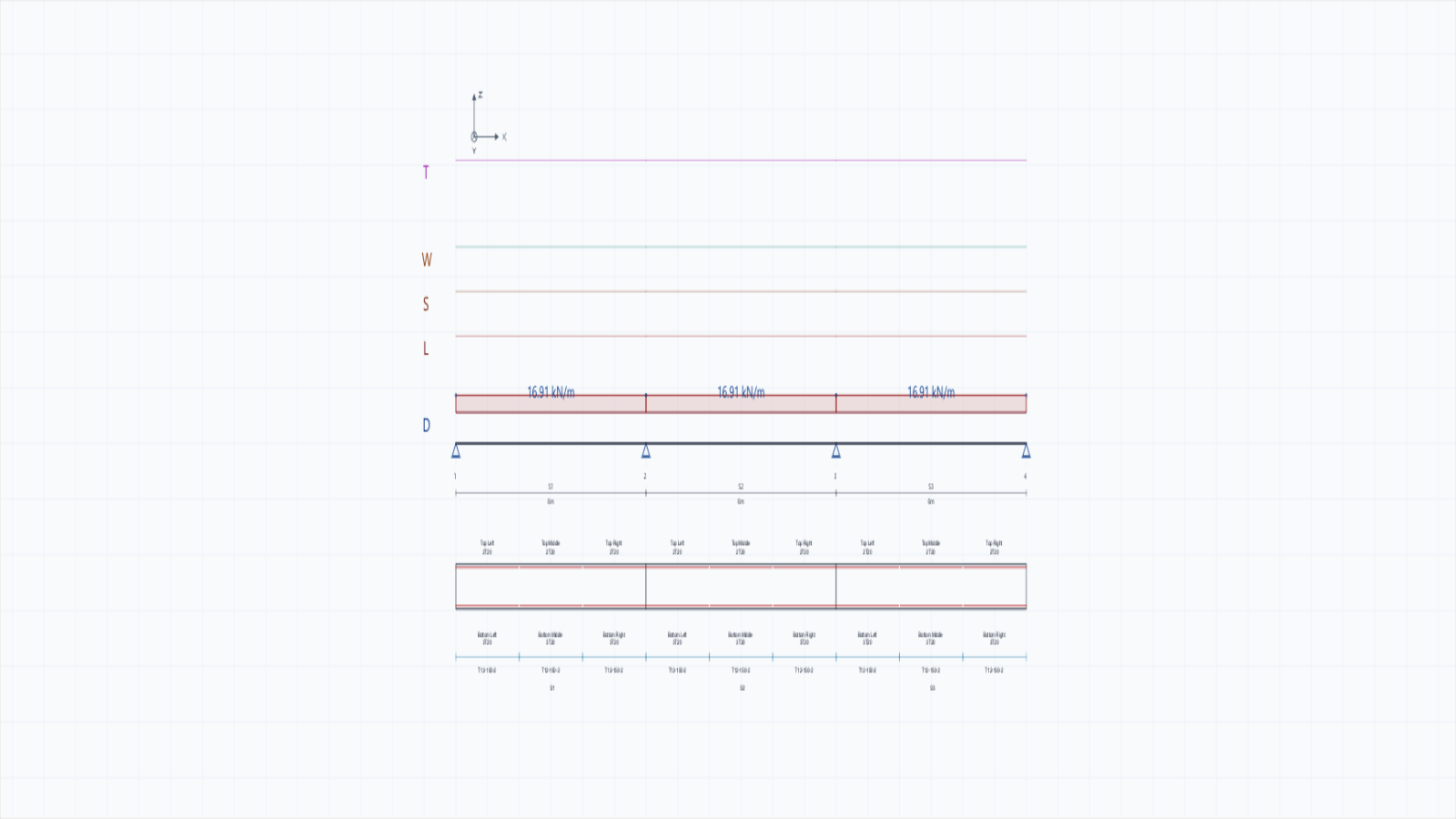
AEIS Subframe sample with three spans, supports, applied loads, and reinforcement zones in one design view.
- Analysis controls
Case selection, analysis mode, and governing controls stay visible with the model.
- Applied loads
Point and distributed loads remain tied to the spans under review.
- Result zones
Result zones and reinforcement extents stay aligned with the same case geometry.
- Run record
Run state and export context remain tied to the producing design evidence.
Engineer control
Review the evidence before handoff.
AI assistance prepares context beside the visible model, loads, and results. Qualified engineers keep the decision, while the engineering record keeps the basis of that decision inspectable.
The engineering record
Keep every decision tied to its source.
AEIS exposes the source, scope, execution mode, and outputs needed to understand a result. It supports qualified review; it does not replace it.
Source revision
IFC or Revit-prepared geometry, attributes, and assumptions
The approved input used by the design or run
Validation and scope
Missing context, implemented checks, and unsupported boundaries
The approved scope for the design or run
Execution state
Browser service or licensed Windows worker, run state, and logs
How and where the result was produced
Produced evidence
Models, calculations, reports, workbooks, databases, and files
The deliverables available for qualified review
How access works
Start with a defined engineering case.
Describe the source, engineering task, and required deliverable. AEIS confirms product fit and execution requirements before issuing workspace access.
- 01
Describe the engineering case
Name the approved source, engineering task, and required deliverable. No project file is required for the first request.
- 02
Confirm product fit
AEIS identifies the relevant product, execution requirements, and engineering review boundary before access is issued.
- 03
Prepare workspace access
Access remains invite-only. Licensed email and workspace setup follow once the evaluation scope is defined.
Evaluate AEIS on a real project case.
Provide an approved BIM or IFC source, the engineering task, and the deliverable your team needs to review. AEIS will confirm the relevant product, execution environment, and review boundary.