 AEIS
AEIS
Browser Design / Pillar
Concrete Column & Wall Design
Check reinforced-concrete columns and walls with geometry, shear links, rebar labels, NM analysis, batch tables, and PDF/XLSX exports under the implemented HKCOP design scope.
- Best for
- Structural engineers checking reinforced-concrete columns and walls.
- Outcome
- Traceable column or wall checks with governing NM results, batch review tables, and PDF/XLSX report exports.
- Runs in
- Browser workspace - cloud-ready
- Requirements
- Runs through the AEIS technical design API with the implemented HKCOP design scope visible.
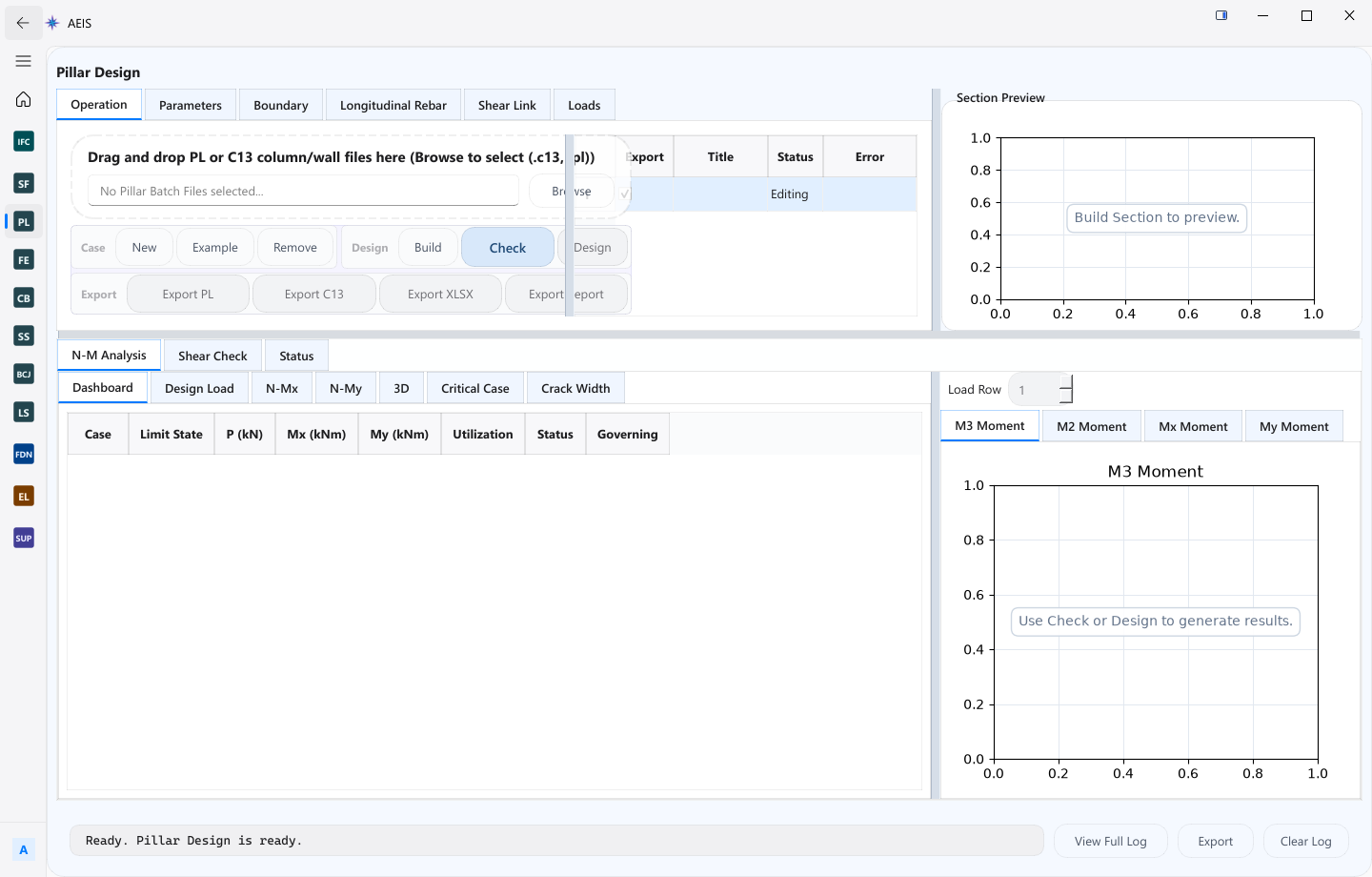
Evidence surface
Inspect the working evidence.
Review the product capture, then use the checklist for what a qualified engineer can verify before handoff.
- Scoped HKCOP column and wall checks
- NM interaction analysis
- Batch tables for multi-member review
- PDF and XLSX report exports
Only the visible implemented HKCOP and NM design scope is claimed; geometry, actions, reinforcement, and governing decisions require engineer review.
Product details
Inputs, steps, and deliverables.
Check concrete columns and walls with scoped HKCOP rules, NM analysis, and report exports.
Inputs
- Column or wall geometry
- Material and reinforcement data
- Design actions and check settings
- Batch table cases where multiple members are checked
Steps
- Define section geometry and reinforcement
- Enter design actions and check settings
- Run scoped HKCOP and NM checks
- Review governing results, batch tables, and reports
Outputs
- NM design results for governing cases
- Batch review tables across members
- PDF and XLSX design reports
- Visible check state for engineer acceptance
Value and use
Why teams use Concrete Column & Wall Design.
What this product is for in practice, and the engineering situations teams bring into AEIS first.
Value
- Run scoped HKCOP checks with NM analysis in one product
- Review batch tables for multiple columns or walls
- Export PDF and XLSX evidence from the same case state
Use cases
- Check a typical column schedule against design actions
- Review wall sections with shear links and rebar labels
- Batch-check storey columns before issuing design evidence
- Export governing NM results for internal records
FAQ
Before you evaluate this product.
Common questions about Concrete Column & Wall Design, execution requirements, and engineer responsibility.
Which code scope does Pillar implement?
Pillar implements the visible HKCOP and NM design scope shown in the module. Unsupported topics are outside the public claim.
Can I check multiple members at once?
Yes. Batch tables support multi-member review with governing results available for export.
Does Pillar replace engineer judgment?
No. Geometry, actions, reinforcement, and governing decisions require engineer review and final acceptance.
Evaluate Concrete Column & Wall Design on your engineering case.
Describe the concrete column & wall design inputs and required deliverable. AEIS will confirm product fit, execution requirements, and the engineer-owned acceptance point.